How does Figma Education Plan work?
Figma Edu Personal at DigitaVision is a private login of your own, set up by our team, with your history and settings kept apart from every other customer. It costs $15 for 2 years. Delivery: usually 2–4 hours, up to 24 hours in rare cases; the login then appears on the product credentials page of the member area.
What is Figma Education Plan?
Figma Education Plan at DigitaVision is a personal account: login credentials for a Figma account on the EDU plan, set up for you and not shared with other members. The login appears on the product credentials page of the member area. You sign in to Figma in the browser or the desktop app like any other user, and nothing runs through the DigitaVision extension. If you need help signing in, the support team can assist.
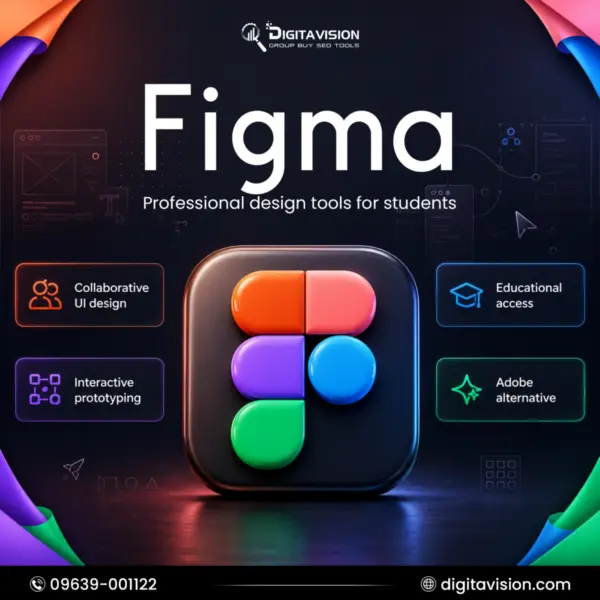
Figma is a collaborative design platform for UI and UX work. Figma Design is where you draw screens, build interactive prototypes and hand off specs, with Dev Mode for developers. FigJam is the online whiteboard for brainstorming and workshops, and Figma Make turns a prompt into a working prototype. Files live in the cloud, so people can comment and edit together in real time, and reusable components and libraries keep a design system consistent from one file to the next.
Figma for Education gives educators and students who pass verification free use of the Professional tier. This account includes access credentials for the Figma EDU plan, and you receive the monthly AI credits listed on this page with a Full seat, which Figma lists as full access to all of its products. The page lists design, prototyping, whiteboarding and real-time collaboration, polished interfaces built from reusable components and libraries, and faster product work with Figma Make and FigJam.
The Figma Education Plan suits design students, self-taught UI/UX designers, freelancers building a portfolio and small product teams that want every paid feature on a login of their own. DigitaVision is not affiliated with Figma, and this is not an official Figma purchase. Figma can change the features of educational accounts, so it is good practice to keep copies of any file you cannot afford to lose. For website wireframes built from ready-made components, look at Relume, or browse more design tools group buy in the catalog.
What you get
- Receive access credentials for the Figma EDU plan.
- Get 3,000 monthly AI credits with Full seat.
- Includes one-month warranty; issues afterward are not covered.
- Design, prototype, whiteboard, and collaborate in real time.
- Build polished interfaces with reusable components and libraries.
- Accelerate product workflows with Figma Make and FigJam.
Figma Edu Personal vs. alternatives
Not sure Figma Edu Personal is the one? Compare it with similar tools in the catalog.
| TOOL | BEST FOR | PRICE | |
|---|---|---|---|
| Figma Edu Personal This tool | Access to Figma Edu | $15.002 years access, one payment | |
| Gamma | Best AI Presentation Maker & Website Builder | $3.99/ 30 days | View → |
| Piktochart | Create Stunning Visual Content | $2.99/ 30 days | View → |
| Relume IO | Design Professional Websites Faster | $2.99/ 30 days | View → |
| Beautiful ai | Create Stunning Presentations Instantly | $2.99/ 30 days | View → |
Figma guides
Figma Edu Personal account FAQ
What is Figma Edu Personal?
Figma Edu Personal at DigitaVision is a private login of your own, set up by our team, with your history and settings kept apart from every other customer.
How much does Figma Education Plan cost?
Figma Edu Personal costs $15 for 2 years on DigitaVision. Prices show in USD or BDT; the toggle is in the header.
How fast is Figma Edu Personal delivered?
Delivery: usually 2–4 hours, up to 24 hours in rare cases. Your login then appears on the product credentials page of the member area.
What happens if a tool stops working?
The refund and warranty matrix covers it. A shared tool that is down for more than 48 hours gets a replacement or a pro-rated refund. A personal account gets a replacement first; where a product states a warranty, it is shown on its page.
Can I pay in BDT?
Yes. Prices show in USD or BDT; the toggle is in the header. The payment methods you can use are listed at checkout in the member area.
Is the Figma Education Plan free?
Yes, for people who qualify. Figma offers its Education plan free to any student or educator in a structured classroom, such as a university, high school, trade school or bootcamp. You apply on Figma's education page with a school email address, complete verification of your education status (higher education applicants go through SheerID), and once Figma approves it, create or join an Education team. Figma auto-rejects non-school email addresses. This page is separate from that process: it provides credentials for an account on the EDU plan.
What does the Figma Education Plan include?
On Figma's side, verified Education users get the Professional tier, with Figma Design, Dev Mode and FigJam. Figma says higher education and bootcamp users also get AI tools and Figma Sites, with AI credits each month. This account comes with the monthly AI credits listed on this page on a Full seat, which Figma describes as full access to all of its products, including Figma Make. Each eligible user can publish one Figma Site file, and custom domains are not included.
Figma Education Plan vs Figma Professional: what is the difference?
Figma says Education teams get all professional paid tools, so day-to-day design work looks the same. The Professional plan is a paid subscription billed per seat that needs no education status, while K-12 districts can get the Enterprise tier free. Education accounts have their own rules: they run for a set term, people invited to edit must verify their own status within seven days, and Sites publishing is limited. For client work under a company name, a paid Professional seat in your own name is the cleaner choice.
What happens when a Figma Education Plan expires?
Figma's help center says that when education status ends, members are downgraded to view-only on the education teams they were part of. An owner with three or fewer files gets a free Starter team; with four or more files, the team becomes a Starter team and is locked. Before your term ends, export the files you want to keep or move them somewhere you control. Paid client work should never live in one account only.
Who is the Figma Education Plan for?
It suits anyone who wants to use Figma for study or early career work: design and computer science students, self-taught UI/UX designers, freelancers building a portfolio and small product teams testing ideas with prototypes. It is a private login, so your files, comments and libraries are not visible to other DigitaVision members. If you only need to view files or leave comments, Figma's free Starter plan may be enough. This account makes sense when you need a Professional feature such as Dev Mode, Figma Make or monthly AI credits.
Is a Figma Education Plan account safe to use?
The login is yours alone, set up by DigitaVision, with history and settings kept apart from other customers, and nothing runs through a shared extension. DigitaVision is not affiliated with Figma, and this is not an official Figma purchase. As practical tips, keep backups of important files, export work you cannot afford to lose, and follow the fair-use policy.
What are the alternatives to Figma?
Sketch and Penpot are the best known alternatives for interface design, and both cover screens, components and prototypes. If your goal is narrower, a smaller tool can be enough. Gamma builds presentations and simple web pages from a prompt, and Piktochart is made for infographics, reports and visual content. For a website, Relume turns a brief into a sitemap and wireframes built from ready-made components, then exports them to Figma. Each tool page lists what its plan includes.