
How does Prime Video Group Buy work?
Prime Video Group Buy at DigitaVision is a shared seat on one Prime Video account, used through the DigitaVision Chrome extension: several members share the account and each signs in once. It costs $1.99/mo. Delivery: once the payment is confirmed; the tool is then in the member area. The daily limits of each tool are listed on the Limits page.
What is Prime Video Group Buy?
Prime Video Group Buy is a shared seat on one Prime Video account, used through the DigitaVision Chrome extension. Several members share the account and each signs in once, so you can stream without paying for a full Amazon subscription of your own. The daily limits for each tool are on the Limits page.
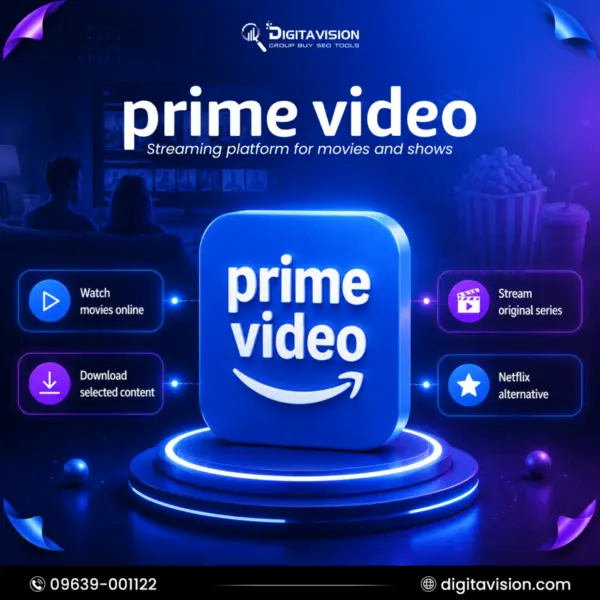
Prime Video is Amazon's streaming service. Its library mixes Amazon Originals, movies, TV shows, sports and live television. Titles marked Included with Prime stream at no extra charge to subscribers. Rentals, purchases and add-on subscriptions to other services are sold separately by Amazon, and the catalog changes over time. Amazon's own Prime Video app runs on many televisions, phones, consoles and streaming devices, but this seat is used through the DigitaVision extension. This plan lists streaming of movies, series, sports and live TV, plus downloads of eligible titles for offline viewing. It does not list rentals, purchases or add-on channel subscriptions, so do not count on them.
The seat suits viewers who want a second streaming service next to Netflix or Crunchyroll, and anyone who is happy to watch in a computer browser, where the extension runs. If you also want to compare other entertainment options, see our streaming tools group buy category, or start with Netflix. Because every member shares one library, sign in through the extension each time and stay within the daily limits. Usage is subject to fair-use limits, which keep the shared account working for every member. The availability of a title, a live event or a feature can vary by region, as it does for any Prime Video user, so a missing show does not mean the seat is broken. DigitaVision is not affiliated with Amazon or Prime Video.
What you get
- Usage is subject to applicable fair-use limits.
- Stream movies, series, sports, and live television.
- Download eligible titles for convenient offline viewing.
Prime Video (Amazon) vs. alternatives
Not sure Prime Video (Amazon) is the one? Compare it with similar tools in the catalog.
| TOOL | BEST FOR | PRICE | |
|---|---|---|---|
| Prime Video (Amazon) This tool | Stream Unlimited Movies And Shows | $1.99/ 30 days | |
| Netflix (Desktop) | Stream Blockbusters And Originals | $1.99/ 30 days | View → |
| Crunchyroll (Desktop) | Access to Crunchyroll (PC Web Version) | $2.99/ 30 days | View → |
| Spotify Personal 1Y | Get Personal Access to Spotify | $24.991 year access, one payment | View → |
| Semrush | All-in-One Digital Marketing Intelligence | $3.99/ 30 days | View → |
Prime Video (Amazon) group buy FAQ
How much does Prime Video Group Buy cost?
Prime Video Amazon costs $1.99/mo on DigitaVision. Prices show in USD or BDT; the toggle is in the header.
How fast do I get Prime Video Amazon?
Delivery: once the payment is confirmed. Shared tools are then available in the member area.
What happens if a tool stops working?
The refund and warranty matrix covers it. A shared tool that is down for more than 48 hours gets a replacement or a pro-rated refund. A personal account gets a replacement first; where a product states a warranty, it is shown on its page.
Do you sell cracked software?
No. We don’t sell cracked software, stolen accounts or anything that bypasses a vendor’s terms. How the tools may be used is set out in the fair-use policy.
Is Prime Video Group Buy safe to use?
Access runs through the DigitaVision extension, so you sign in once and never manage an Amazon password yourself. Fair-use limits keep the shared account usable for everyone, and our replacement and refund policy covers a tool that stops working. Some practical tips: use the browser where the extension is installed, do not change the account settings, and keep your own Amazon purchases on your own account. DigitaVision is not affiliated with Amazon.
What can I watch with the Prime Video group buy?
The page lists movies, series, sports and live television. In practice that means the titles Amazon marks as Included with Prime, which includes many Amazon Originals. Titles you would normally rent or buy, and paid add-on channels, are not part of the plan. The selection also changes as Amazon adds and removes titles, so check that a show is available before planning a weekend around it.
Can I download titles with the Prime Video group buy?
The page lists downloads of eligible titles for offline viewing. Eligibility is decided by Amazon title by title, so some shows have no download option. If a title offers no download button, that is Amazon's setting for it, not a fault with your seat. Plan downloads before a trip rather than the same day you travel.
Do I need my own Amazon Prime membership for the Prime Video group buy?
No. The seat gives you a share of the account that DigitaVision provides, and you reach it through the extension. Anything you want to buy or rent from Amazon yourself would use your own Amazon account, which stays separate from this shared seat.
How is the Prime Video group buy different from a regular Prime Video subscription?
A regular subscription is your own account, with your own profiles, watch history, purchases and settings. A group buy means you share one subscription with other members under fair-use limits, so it suits casual and budget viewers more than people who want a library of purchased titles. If you need that personal history and purchases, an account of your own is the better choice.
Which other streaming services are in the same category?
Our entertainment and streaming category includes Netflix (Desktop) and Crunchyroll (Desktop), which suits anime fans. Each has its own page with its own limits and conditions, so read them before you choose. The Compare section on this page also lists similar tools side by side.