
How does Canva Group Buy work?
Canva Group Buy at DigitaVision is a shared seat on one Canva account, used through the DigitaVision Chrome extension: several members share the account and each signs in once. It costs $0.99/mo. Delivery: once the payment is confirmed; the tool is then in the member area. The daily limits of each tool are listed on the Limits page. Other Canva plans: Canva Pro Personal.
What is Canva Group Buy?
Canva Group Buy at DigitaVision is a shared seat on one Canva account, opened through the DigitaVision Chrome extension. Several members use the same account, and each member signs in once, so you can design in Canva without a Canva subscription of your own. The page lists access to Canva with fair usage limits on the platform. It does not promise the Canva Pro plan or Pro-only features.
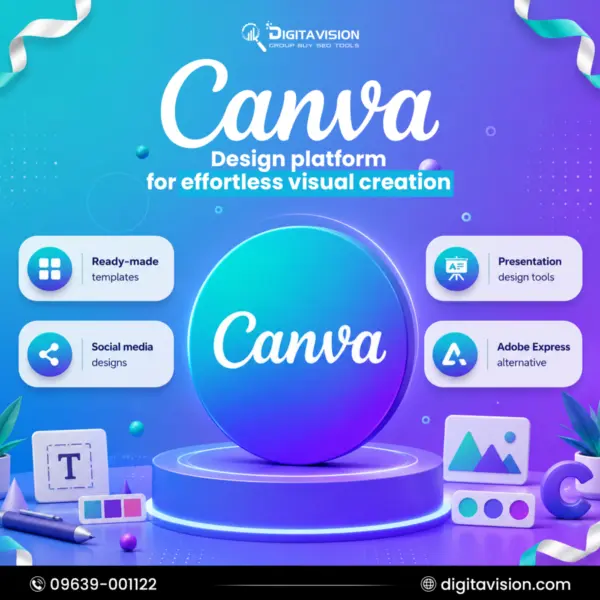
Canva is an online design and publishing platform, launched in 2013. Its drag-and-drop editor turns a template into a finished graphic design without design software or training. People use it for presentations, social media posts, posters, short videos, documents and print. Canva's paid plans add premium templates and stock content, a Brand Kit for your colors, fonts and logos, and AI tools such as Magic Resize and the Photo Background Remover.
This plan covers what the page lists under What you get. You can create presentations, graphics, videos and social content, customize professional templates with intuitive design tools, and build polished visual content for every marketing channel. Fair usage limits apply, and the daily limits of each tool are on the Limits page. Because members share one account, anything you save there is not private.
Canva Group Buy suits students, bloggers, small business owners and social media managers who need quick graphics and slides on a small budget. If you need premium content, a brand kit or a private workspace on your own login, the Canva Pro Personal plan is the closer fit. To compare Canva with other creative and AI platforms, browse the design tools group buy catalog.
What you get
- Fair usage limits apply to platform access.
- Create presentations, graphics, videos, and social content.
- Customize professional templates with intuitive design tools.
- Build polished visual content for every marketing channel.
Canva vs. alternatives
Not sure Canva is the one? Compare it with similar tools in the catalog.
Canva guides
-
Pricing
Canva Coupon Code: What Works in 2026 and Cheaper Routes
Is there a working Canva coupon code? Here is what Canva itself offers, why coupon-site codes fail, and a lower-cost way to use Canva Pro.
-
Alternatives
The 9 Best Canva Alternatives in 2026: Free Canva Pro Alternatives for Graphic Design
Besides Canva, which alternative to Canva fits? Compare free plans, vendor prices and best use across 9 canva alternatives, plus shared seats.
Canva group buy FAQ
How much does Canva Group Buy cost?
Canva costs $0.99/mo on DigitaVision. Prices show in USD or BDT; the toggle is in the header.
How fast do I get Canva?
Delivery: once the payment is confirmed. Shared tools are then available in the member area.
What happens if a tool stops working?
The refund and warranty matrix covers it. A shared tool that is down for more than 48 hours gets a replacement or a pro-rated refund. A personal account gets a replacement first; where a product states a warranty, it is shown on its page.
Do you sell cracked software?
No. We don’t sell cracked software, stolen accounts or anything that bypasses a vendor’s terms. How the tools may be used is set out in the fair-use policy.
Is Canva Group Buy safe to use?
You reach Canva through the DigitaVision extension, not through a Canva login of your own. Shared access follows the fair-use policy and fair usage limits, which keep the seat usable for every member. Other members work in the same account and may see what is saved there, so keep private client files, unreleased brand assets and personal photos out of it. DigitaVision is not affiliated with Canva, and the seat is not an official Canva plan.
Canva Group Buy vs Canva Pro: what is the difference?
Canva Pro is the official paid plan that you buy from Canva for your own login. It adds premium content, Brand Kits and AI tools such as Magic Resize and the Background Remover, and Canva also sells Business and Enterprise plans for teams. Canva Group Buy is a shared seat on one Canva account, and its page does not promise Pro features. If you want Pro on a login of your own, see Canva Pro Personal.
Can two people use one Canva account in a group buy?
Yes, that is how a group buy works: several members open the same Canva account through the DigitaVision extension. It is not the same as Canva's own team features, though. The account is not set up for your colleagues, so do not rely on it to invite people, assign roles or control who sees a design. For teamwork, share finished designs as downloads, or use a plan on your own login.
How do I open Canva after buying the group buy?
Once your payment is confirmed, Canva appears in your DigitaVision member area. Install the DigitaVision Chrome extension and sign in to it once with your DigitaVision account. From then on you open Canva through the extension in Chrome, the same way as any other shared tool. There is no Canva sign-up to manage. Download your designs when they are finished, because the workspace is shared.
Who is Canva Group Buy for, and is it worth it?
It suits students, bloggers, freelancers, small online shops and social media managers who make graphics, presentations and short videos and want a low-cost way to use Canva. It is worth it when you work from templates and can stay within fair usage limits. It is a weaker fit if you need a brand kit, premium assets or a private workspace for client work. A personal plan serves those needs better.
Are there free Canva Pro options for students or nonprofits?
Yes, directly from Canva. Canva Nonprofits gives registered nonprofits free access to Canva Pro features for up to 50 users. Canva Education is free for verified teachers and their classes, and Canva also has a free plan with its basic editor and templates. If you qualify for one of these programs, check it before you pay for any other option, a group buy included.
What are the alternatives to Canva Group Buy?
Adobe Express is the best-known direct alternative to Canva, also built around templates. If you need stock photos, vectors and templates to use inside your designs, Freepik is a common pick. For product mockups and quick branded visuals, Placeit builds them from ready-made templates. Each tool page lists what its group buy includes, so compare them before you choose.