
How does CapCut Group Buy work?
CapCut Group Buy at DigitaVision is a shared seat on one CapCut account, used through the DigitaVision Chrome extension: several members share the account and each signs in once. It costs $3.49/mo. Delivery: once the payment is confirmed; the tool is then in the member area. The daily limits of each tool are listed on the Limits page. Other CapCut plans: CapCut Pro Personal 1 Month and CapCut Pro Personal 6 Months.
What is CapCut Group Buy?
CapCut Group Buy at DigitaVision is a shared seat on one CapCut account, used through the DigitaVision Chrome extension. Several members share the account and each signs in once. It gives you CapCut's web platform for video editing without a personal subscription of your own, and the daily limits for each tool are listed on the Limits page.
CapCut is a web-based video editing platform for creators, marketers, businesses and social media teams. In the browser you can edit videos with templates and effects, add transitions, trim and caption clips, and export videos for TikTok, Reels and YouTube Shorts. This plan covers online editing with templates and effects, social-ready content for the major platforms, and the trim, caption, style and export tools. The editor runs in the browser, so the only thing to install is the extension.
Two limits matter before you purchase. AI features are not included in this plan. This plan is not described as CapCut Pro, so do not buy it expecting Pro-only features. If you need a private login with CapCut Pro, look at the personal plan linked below instead.
The plan suits social media creators, small business owners who make promo clips, and students who want a capable video editor in the browser. It runs in a desktop browser through the extension, and this page does not list a mobile app. DigitaVision is not affiliated with CapCut. You can browse more design and creative asset tools in our catalog, or compare the private option, CapCut Pro Personal, if you want your own account.
What you get
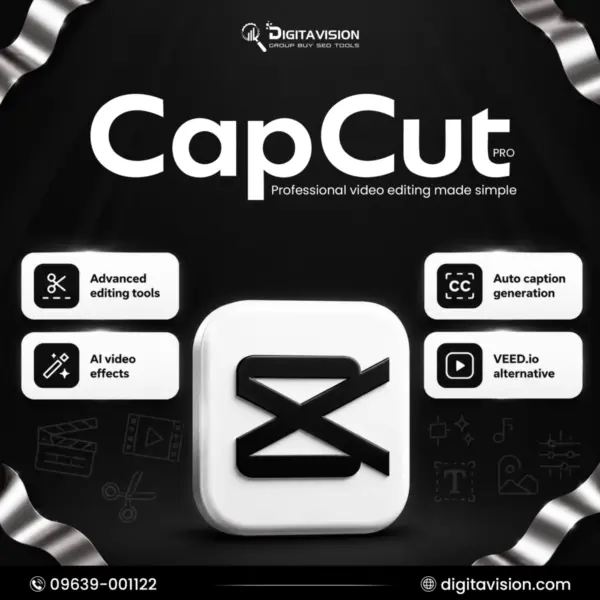
- Access CapCut directly through the web platform.
- Edit videos online with templates and effects.
- Create social-ready content for major platforms.
- Trim, caption, style, and export videos easily.
Note: AI features are not included.
Capcut vs. alternatives
Not sure Capcut is the one? Compare it with similar tools in the catalog.
CapCut guides
-
Pricing
CapCut Pro Price in 2026: Every Plan, Local Cost and Cheaper Ways to Pay
CapCut Pro price in 2026: monthly and yearly cost, every plan in one table, BDT, INR and PKR estimates, price changes and legitimate ways to pay less.
-
Guides
CapCut Pro: shared or personal, and what happens when credits run out
CapCut Shared and the CapCut Pro Personal ID compared: who uses the account, what is included, delivery time, and what to expect when shared credits run out.
Capcut group buy FAQ
How much does CapCut Group Buy cost?
Capcut costs $3.49/mo on DigitaVision. Prices show in USD or BDT; the toggle is in the header.
How fast do I get Capcut?
Delivery: once the payment is confirmed. Shared tools are then available in the member area.
What happens if a tool stops working?
The refund and warranty matrix covers it. A shared tool that is down for more than 48 hours gets a replacement or a pro-rated refund. A personal account gets a replacement first; where a product states a warranty, it is shown on its page.
Do you sell cracked software?
No. We don’t sell cracked software, stolen accounts or anything that bypasses a vendor’s terms. How the tools may be used is set out in the fair-use policy.
Is CapCut Group Buy safe to use?
You sign in once through the DigitaVision Chrome extension, so there is no vendor password to manage. Shared access follows fair-use limits that keep the account usable for all members, and the Limits page lists them. DigitaVision has a replacement and refund policy for shared tools. It is not affiliated with CapCut. Export and keep your own copies of videos that matter to you.
What is the difference between CapCut Group Buy and CapCut Pro?
CapCut Group Buy is a shared seat that gives web editing with templates, effects, captions and export. This page does not say Pro. People who search for a CapCut Pro account usually want Pro features on a private login, and DigitaVision lists CapCut Pro Personal plans for that. Compare pricing and the What you get lists before you choose.
Does CapCut Group Buy include AI features?
No. The What you get list on this page says AI features are not included. The plan covers editing with templates and effects, trimming, captions, styling and exporting for social platforms. If AI tools are the main reason you subscribe to CapCut, this plan is not the right fit.
Can I use CapCut Group Buy on mobile?
The plan is built around the CapCut web platform, opened in a desktop browser through the DigitaVision Chrome extension. This page does not list a mobile app or a phone workflow, so do not rely on mobile access. Check the What you get list for any change before you order.
Can a CapCut subscription be shared with a team?
A group buy shares one account between several DigitaVision members, each signing in through the extension under daily limits. The page lists no collaborative workspace or live collaboration, so treat it as a tool for your own editing, not a shared studio for a team. Team members who need to collaborate should check what the plan lists first.
Which CapCut features can I use for video editing?
The page lists online editing with templates and effects, plus trimming, captions, styling and export of social-ready videos for major platforms. These cover common jobs such as TikTok clips, Reels, YouTube Shorts and short promos. Anything beyond that list, including AI tools, is not part of the plan.