





What is Designbeastapp Group Buy?
Designbeastapp Group Buy is a shared seat on one DesignBeast account at DigitaVision, used through the DigitaVision Chrome extension. Each member signs in once, and the fair usage limit on this page applies. DigitaVision is not affiliated with the vendor.
DesignBeast is an AI-assisted design and animation suite. As of October 2026, the vendor's training page covers mockups, an image editor, background removal, bulk logo variations, animated ads, converting PNG or JPG files to SVG, and removing unwanted objects or people from an image.
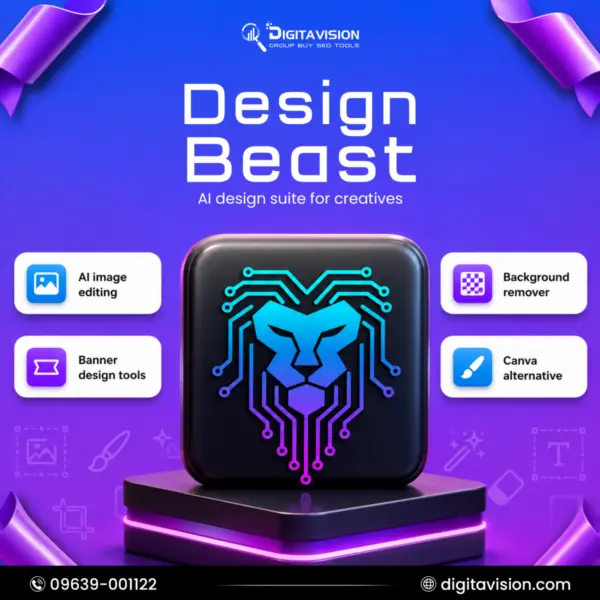
The What you get list on this page covers mockups, logos, graphics and animated visuals, removing backgrounds and objects from images, and editing photos to build marketing designs faster. It suits freelancers, small businesses and social media managers who need quick, repeatable visuals rather than custom illustration, the audience for Designbeastapp Group Buy. For related tools, browse the design tools group buy category, or compare with Canva, which has a larger template library.
What plan is it?
- Shared seat: one account we manage, several members use it.
What you get
- Fair usage limit applies to this service.
- Create mockups, logos, graphics, and animated visuals.
- Remove backgrounds and objects from images easily.
- Edit photos and build marketing designs faster.
Limits to know
- Fair usage limit applies to this service.
- Create mockups, logos, graphics, and animated visuals.
- Remove backgrounds and objects from images easily.
- Edit photos and build marketing designs faster.
How does Designbeastapp Group Buy work?
Designbeastapp Group Buy at DigitaVision is a shared seat on one Designbeastapp account, used through the DigitaVision Chrome extension: several members share the account and each signs in once. It costs $2.99/mo. Delivery: once the payment is confirmed; the tool is then in the member area. The daily limits of each tool are listed on the Limits page.
More: How it works · Limits · Personal accounts · Refund policy
Updated
What you get
- Fair usage limit applies to this service.
- Create mockups, logos, graphics, and animated visuals.
- Remove backgrounds and objects from images easily.
- Edit photos and build marketing designs faster.
Designbeastapp limits
What each plan includes, as described in the member area. Our fair-use rules apply on top. Full limits table →
| PLAN | LIMITS AND WHAT IS INCLUDED |
|---|---|
| DesignbeastappShared · This tool | Fair usage limit applies to this service. Create mockups, logos, graphics, and animated visuals. Remove backgrounds and objects from images easily. Edit photos and build marketing designs faster. |
Learn before you buy
Designbeastapp vs. alternatives
Not sure Designbeastapp is the one? Compare it with similar tools in the catalog.
Designbeastapp group buy FAQ
What can I do with DesignBeast?
As of October 2026, the vendor's training page lists how-to videos for mockups, an image editor, background removal, bulk logo variations, animated ads, PNG or JPG to SVG conversion and object removal. This page's What you get list names mockups, logos, graphics, animated visuals, background and object removal, and photo editing. The fair usage limit on this page applies to all of them.
Can DesignBeast remove backgrounds and objects from photos?
Yes. The vendor's training page describes removing the background of an image in a few seconds, and a separate flow where you upload an image, select the object and remove it. Results depend on the photo: busy or low-resolution images may need extra cleanup. For product photos with a clear subject, it is a quick way to prepare images for stores and ads.
Is Designbeastapp Group Buy safe to use?
Access runs through the DigitaVision extension, so you sign in once and do not manage a vendor password. Fair-use limits keep the shared account usable for every member, and the fair-use policy explains how the tools may be used. If a shared tool stops working, the refund policy covers a replacement or a pro-rated refund. Download finished designs to your own device and keep copies of logos or client files outside the shared account. DigitaVision is not affiliated with the vendor.
What are the alternatives to Designbeastapp?
For general social posts and presentations, Canva is the best-known option. For stock graphics, icons and photos, look at Freepik. For realistic product mockups, try PlaceIT. DesignBeast fits best when you want logos, mockups, background removal and animated visuals in a single place.
How much does Designbeastapp Group Buy cost?
Designbeastapp costs $2.99/mo on DigitaVision. Prices show in USD or BDT; the toggle is in the header.
How fast do I get Designbeastapp?
Delivery: once the payment is confirmed. Shared tools are then available in the member area.
What happens if a tool stops working?
The refund and warranty matrix covers it. A shared tool that is down for more than 48 hours gets a replacement or a pro-rated refund. A personal account gets a replacement first; where a product states a warranty, it is shown on its page.
Do you sell cracked software?
No. We don’t sell cracked software, pirated license keys or stolen accounts. How the tools may be used is set out in the fair-use policy.