

 SHARED
$3.99 / 30 days
9 tools in Plagiarism & AI Detection: all shared seats. Prices per billing cycle; access is delivered through the DigitaVision member area.
Plagiarism checker group buy at DigitaVision means shared access to paid plagiarism checkers, AI content detectors and writing assistants. Most are shared seats opened with the DigitaVision browser extension. It suits students, teachers, writers, editors and content teams who want to review the originality of a draft before they publish or submit it.
SHARED
 SHARED
 SHARED
 SHARED
 SHARED
 SHARED
 SHARED
 SHARED
GPTZero vs ZeroGPT for AI content detection: ChatGPT text accuracy, false positives, free limits and plans in 2026, with a pick for educators and writers.
Grammarly Black Friday 2026: official sale status and DigitaVision's coupon NYQ1DHXZ for 30–40% off, 20 Nov–2 Dec 2026 - checked 12 Nov 2026.
The category covers plagiarism checkers such as Quetext, AI content detectors such as GPTZero, and all-round writing tools such as Smodin. It also lists text humanizers and study assistants. A report is a guide for your own review, not a verdict. You sign in once through the extension, and each tool page shows its plan and limits. For the full catalog, see all tools. Plan names, limits and delivery details stay on the tool pages, where they are always current. Bundles are on the packs page.
A plagiarism checker group buy lets several members share one paid vendor account instead of each paying for a full subscription. At DigitaVision you open the shared seat through the browser extension and sign in once. The category covers plagiarism checkers, AI content detectors, text humanizers and study assistants. Each tool page says what the plan includes and which daily limits apply, so you can confirm it fits your work before you order.
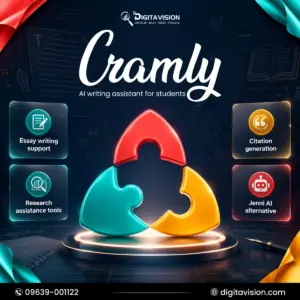
Quetext checks for matching sources and paraphrasing, and it helps create citations in common formats. GPTZero highlights passages that may be AI-written so you can review them closely. Smodin combines writing help, plagiarism checking and AI detection. Cramly is a study assistant with originality checks and citation support. WriterZen is aimed at planning content that ranks, which is a different job from checking originality. Each page lists exactly what the plan includes.
No. A detector gives an estimate, not proof. It estimates how likely a passage is to be machine-written, and it can flag human writing or miss AI text. Treat a report as one signal. Read the highlighted passages, compare them with the author's earlier work, and talk with the writer before drawing a conclusion. The same applies to plagiarism reports, where a match may simply be a properly cited quote.
Humanizers such as WriteHuman are tone and readability editors. They rewrite AI-generated text so it reads more naturally, with better flow and clarity. Nobody can promise how any detector will read an edited text, and detectors change over time. Use a humanizer to edit and improve your own drafts, and follow the rules of your school or employer on AI use. Always review the final text yourself before you submit or publish it.
You sign in through the DigitaVision extension, so there is no vendor password for you to manage or lose. Fair-use limits, explained on the fair use page, keep each shared account usable for every member, and each tool page lists its limits. A replacement and refund policy exists if a tool has a problem. DigitaVision is not affiliated with any vendor. Because accounts are shared, avoid pasting confidential or unpublished work into a shared checker.
Contact support through live chat or email and the team will check the tool. The refund policy covers a replacement or a pro-rated refund for shared tools, and personal accounts are replaced first. Where a product states a warranty, it is shown on its page. Keep a copy of your reports and drafts on your own device, so your work stays with you.
Once payment is confirmed, open the DigitaVision member area and install the browser extension if you have not already. Sign in once, then open each tool from your account. The tool page explains what to expect, including the daily limits shown on the Limits page. Check a short sample first to see how the report reads. If anything is unclear, support can help through live chat or email.
Checkout accepts card, PayPal, bKash and crypto, as listed at the cart. Prices show in USD or BDT, and the toggle in the header switches between them. Each tool page shows its current price and delivery details, so you always see live information before you order. After payment is confirmed, shared tools appear in your member area, and personal accounts are set up by the team and appear on the product credentials page.