






What is Crello Group Buy?
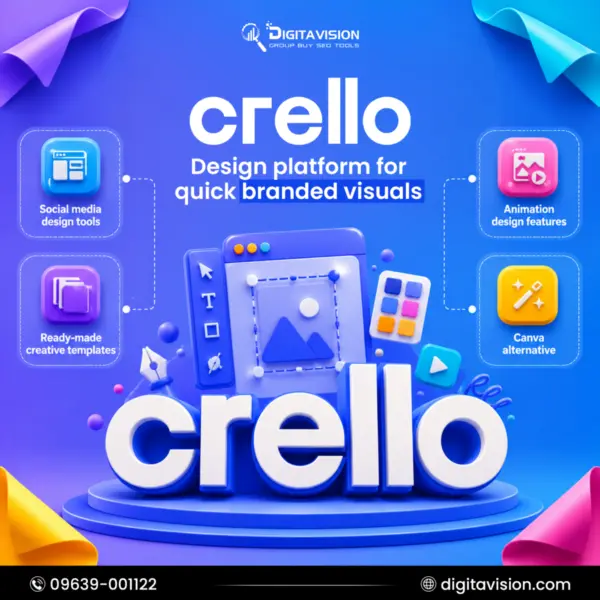
Crello Group Buy is a shared seat on one vendor account, used through the DigitaVision Chrome extension: several members share the account and each signs in once. The tool is VistaCreate, formerly Crello. The vendor renamed it on 27 October 2021 when it joined Vista, the parent brand of VistaPrint, so the vendor's pages and 2026 reviews all say VistaCreate. It is a browser-based graphic design platform and design software for social media graphics, animated posts and video content, with a wide range of templates and a pitch built on ease of use for people with little graphic design experience.
The VistaCreate editor is drag and drop, and its features include a template library, design elements, a one-click resizer and a brand kit. You pick a template, change the fonts, colors and photo filters, resize the design for each channel, then export it in the format you need. The brand kit keeps your logo, fonts and colors together so every post matches. VistaCreate lists AI design tools on its Pro plan: an AI image generator, an AI writer, an object remover and a background remover. Stock photo, video and vector assets come from a vast royalty-free library for graphic design projects. This page lists what the seat includes: fair usage limits on the design tools, ready-made templates, animated posts and videos, and reusable brand assets. It names no vendor plan, so treat anything it does not list as not promised.
As of October 2026, VistaCreate offers two plans on the vendor's pricing page: a free Starter plan for one seat, and a Pro plan at $10 a month billed annually or $13 a month billed monthly, for up to 10 team members, with a 14-day free trial. These are the vendor's prices, not ours. The price of this seat is printed at the top of the page.
The seat suits freelancers, creators and small businesses that make visual content often and want a graphic design tool like Canva in the browser, to create designs for social media posts, ads and presentations. Browse design tools group buy for more options, or compare Canva on its own page. Because the seat is shared, fair-use limits apply, and it is not the place for a team workspace or team collaboration features of your own.
What plan is it?
- Shared seat: one account we manage, several members use it.
What you get
- Fair usage limits apply to all design tools.
- Create professional graphics using customizable ready-made templates.
- Design animated posts, videos, and marketing content.
- Maintain consistent branding with reusable brand assets.
Limits to know
- Fair usage limits apply to all design tools.
- Create professional graphics using customizable ready-made templates.
- Design animated posts, videos, and marketing content.
- Maintain consistent branding with reusable brand assets.
How does Crello Group Buy work?
Crello Group Buy at DigitaVision is a shared seat on one Crello account, used through the DigitaVision Chrome extension: several members share the account and each signs in once. It costs $1.99/mo. Delivery: once the payment is confirmed; the tool is then in the member area. The daily limits of each tool are listed on the Limits page.
More: How it works · Limits · Personal accounts · Refund policy
Updated
What you get
- Fair usage limits apply to all design tools.
- Create professional graphics using customizable ready-made templates.
- Design animated posts, videos, and marketing content.
- Maintain consistent branding with reusable brand assets.
Crello limits
What each plan includes, as described in the member area. Our fair-use rules apply on top. Full limits table →
| PLAN | LIMITS AND WHAT IS INCLUDED |
|---|---|
| CrelloShared · This tool | Fair usage limits apply to all design tools. Create professional graphics using customizable ready-made templates. Design animated posts, videos, and marketing content. Maintain consistent branding with reusable brand assets. |
Crello vs. alternatives
Not sure Crello is the one? Compare it with similar tools in the catalog.
Crello group buy FAQ
Is Crello free to use?
As of October 2026, VistaCreate offers a free Starter plan for one seat with no time limit. This seat is a different thing: shared access to a paid account, opened through the extension once your payment is confirmed. It fits you when the free plan's template and stock image library feel too small for the graphic design work you do. The What you get list on this page shows exactly what the seat covers.
What does the seat include compared with VistaCreate's plans?
The page lists the features of the seat, not a vendor plan tier: ready-made templates, animated posts and videos, reusable brand assets and fair usage limits. As of October 2026, VistaCreate Pro adds a larger template and stock assets library, AI tools and team collaboration features for up to 10 members. The paid plans are built for teams, and a shared seat is not a team workspace. Do not assume a feature the page does not list.
Is Crello Group Buy safe to use?
You sign in once through the DigitaVision extension, so there is no vendor password for you to manage. The fair-use policy covers how the tools may be used, and the refund policy applies if something stops working. DigitaVision is not affiliated with VistaCreate or Vista. Export your own design files in the formats you need so you always keep a copy.
Canva vs VistaCreate: which design software fits me?
Both are template-based design tools for social media posts, so the choice comes down to the template library, the editing tools and the look you prefer. Independent VistaCreate reviews and user reviews on software review sites can help you decide, and Adobe Express is another option. DigitaVision lists each tool as its own seat with its own price, so open Canva and compare what each page lists before you pick.
Does the seat include AI tools like background removal?
VistaCreate lists AI features, including an AI writer, an object remover and a background remover alongside image generation, but this page does not promise which of them the seat opens. Only the items under What you get are stated. If you are buying mainly for AI work or video editing, check that list first and ask support before you order.
Can I use VistaCreate on my phone with this seat?
This seat is used through the DigitaVision Chrome extension, so use it in Chrome on a computer. The page does not promise phone or tablet use. Plan your design process for a desktop browser and export the finished formats from there.
What are the alternatives to VistaCreate?
For a bigger template library, look at Canva or Canva Pro Personal, which is a private login of your own. For product and clothing mockups, Placeit is the closer fit, and Designbeastapp is another graphic design tool. Each page shows its own price, access type and what the plan includes.
How much does Crello Group Buy cost?
Crello costs $1.99/mo on DigitaVision. Prices show in USD or BDT; the toggle is in the header.
How fast do I get Crello?
Delivery: once the payment is confirmed. Shared tools are then available in the member area.
What happens if a tool stops working?
The refund and warranty matrix covers it. A shared tool that is down for more than 48 hours gets a replacement or a pro-rated refund. A personal account gets a replacement first; where a product states a warranty, it is shown on its page.
Do you sell cracked software?
No. We don’t sell cracked software, pirated license keys or stolen accounts. How the tools may be used is set out in the fair-use policy.