






What is Prezi Group Buy?
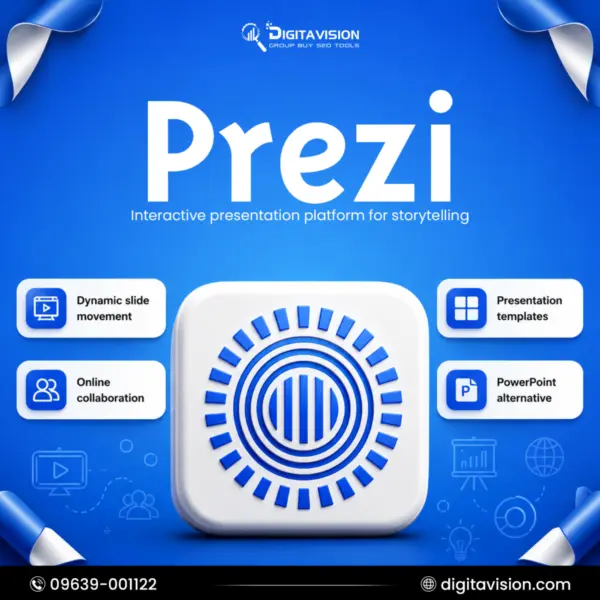
Prezi Group Buy is a shared seat on one Prezi account, used through the DigitaVision Chrome extension. Several members share the account and each signs in once. As of October 2026, Prezi describes itself as an interactive presentation platform: you bring slides from PowerPoint, Google Slides, Canva or a PDF, or describe what you are covering in a sentence, then run live polls, quizzes and Q&A that your audience joins from any device. The seat is listed with our other AI tools group buy products.
The What you get list on this page names three things: dynamic presentations with interactive visual storytelling, AI tools that build presentations faster, and engaging visual formats for presenting ideas. It does not name which Prezi plan sits behind the seat, so use that list instead of assuming a feature from a free Prezi plan or a paid one such as Plus or Premium. A fair usage limit applies, and the daily limits for each tool are on the Limits page.
Prezi suits students, educators, marketers, sales teams and business teams who want presentations that people take part in rather than only watch. A simple workflow is to import a PowerPoint file or describe the topic, pick a template, let Prezi AI draft the structure, then adjust the format and add a poll or Q&A where you want input. A new editor takes some practice, so build a short test presentation first. Teams that want traditional slides without interaction may prefer Beautiful.ai.
Prezi plans, as of October 2026 (source: prezi.com/pricing): the individual plans are Basic (free), Standard, Plus and Premium, and business and education plans are listed separately. Plus adds unlimited AI presentation and image generation, PDF and PPT import, watermark-free presentations, video presentations and PDF export. Premium adds presentation analytics and priority technical support. Current prices are on the vendor's pricing page and depend on the plan and billing period. These are the vendor's plans for a private account, and the price for this seat is shown separately on the page.
What plan is it?
- Shared seat: one account we manage, several members use it.
What you get
- Fair usage limit applies to this service.
- Create dynamic presentations with interactive visual storytelling.
- Use AI tools to build presentations faster.
- Present ideas clearly with engaging visual formats.
Limits to know
- Fair usage limit applies to this service.
- Create dynamic presentations with interactive visual storytelling.
- Use AI tools to build presentations faster.
- Present ideas clearly with engaging visual formats.
How does Prezi Group Buy work?
Prezi Group Buy at DigitaVision is a shared seat on one Prezi account, used through the DigitaVision Chrome extension: several members share the account and each signs in once. It costs $2.99/mo. Delivery: once the payment is confirmed; the tool is then in the member area. The daily limits of each tool are listed on the Limits page.
More: How it works · Limits · Personal accounts · Refund policy
Updated
What you get
- Fair usage limit applies to this service.
- Create dynamic presentations with interactive visual storytelling.
- Use AI tools to build presentations faster.
- Present ideas clearly with engaging visual formats.
Prezi limits
What each plan includes, as described in the member area. Our fair-use rules apply on top. Full limits table →
| PLAN | LIMITS AND WHAT IS INCLUDED |
|---|---|
| PreziShared · This tool | Fair usage limit applies to this service. Create dynamic presentations with interactive visual storytelling. Use AI tools to build presentations faster. Present ideas clearly with engaging visual formats. |
Learn before you buy
Prezi vs. alternatives
Not sure Prezi is the one? Compare it with similar tools in the catalog.
| TOOL | BEST FOR | PRICE / 30 DAYS | |
|---|---|---|---|
| Prezi This tool | With Prezi, you can improve your presentations | $2.99 | |
| Canva | Access to canva | $0.99 | View → |
| Flexclip | Create Stunning Videos Effortlessly | $3.99 | View → |
| Beautiful ai | Create Stunning Presentations Instantly | $2.99 | View → |
| Designbeastapp | Create Stunning Designs Effortlessly | $2.99 | View → |
Prezi group buy FAQ
What does the Prezi Group Buy seat give you compared with the free and paid versions?
The vendor sells Basic, Standard, Plus and Premium for individuals, plus business and education plans. The seat gives you what the What you get list on this page names, shared with other members. Extras such as priority technical support, multiple users or team admin controls belong to specific vendor plans, so check this page against your presentation needs. Keep important presentations exported on your own device.
Is Prezi Group Buy safe to use?
You sign in through the DigitaVision extension, so there is no Prezi password for you to manage. The fair-use policy keeps the shared account usable for everyone, and the refund policy covers a seat that stops working. As a practical tip, export your finished presentations and keep private client material out of a shared workspace. DigitaVision is not affiliated with Prezi.
What does a paid Prezi plan add over the free version?
As of October 2026, the vendor's pricing page lists a free Basic plan with an allowance of AI credits for generating presentations, and public content only. Standard adds privacy controls, premium images and advanced image editing. Plus adds unlimited AI generation, watermark-free and video presentations and PDF export, and Premium adds analytics and priority support. A shared seat suits people who present now and then, within the fair usage limit.
Can I export presentations in Prezi to PowerPoint or PDF?
Prezi's site says you can export a presentation as a PowerPoint (PPTX) file or a PDF, keeping fonts, text formatting and bullet styles, and import slides from PowerPoint, Google Slides, Canva or a PDF. Which options your seat can use depends on the plan behind it, which this page does not name. Export a short demo presentation first and open it before you rely on it for a deadline.
Prezi vs Beautiful.ai, Gamma or Canva: which presentation tool should I choose?
Choose Prezi for interactive presentations with live audience activity such as polls, quizzes and Q&A. Beautiful.ai keeps traditional slides tidy through automatic layout, and Gamma is an AI presentation and website maker. Canva is a wider design tool for presentations built from broad design assets. Compare the What you get lists, then pick the style your audience expects.
Can I use Prezi Video with Zoom on the Prezi Group Buy seat?
Prezi Video is a separate vendor product that shows your content beside you in a video call, and the vendor's help center documents a Prezi Camera setup for Zoom. This page does not name Prezi Video, so do not assume it is included. Check the What you get list first, and ask support if you need it for a meeting.
Does Prezi include analytics and team features, and what do Prezi reviews say?
The vendor's pricing page lists presentation analytics on its Premium plan, and its business plans add team features. Which of these the seat includes depends on the plan behind it, which this page does not name, so read the What you get list. A license for several users is a team plan that a shared seat does not provide. For independent reviews from real users, read the Prezi listing on G2.
How much does Prezi Group Buy cost?
Prezi costs $2.99/mo on DigitaVision. Prices show in USD or BDT; the toggle is in the header.
How fast do I get Prezi?
Delivery: once the payment is confirmed. Shared tools are then available in the member area.
What happens if a tool stops working?
The refund and warranty matrix covers it. A shared tool that is down for more than 48 hours gets a replacement or a pro-rated refund. A personal account gets a replacement first; where a product states a warranty, it is shown on its page.
Do you sell cracked software?
No. We don’t sell cracked software, pirated license keys or stolen accounts. How the tools may be used is set out in the fair-use policy.