
Design Pack 10 tools
Renews every 30 days · cancel anytime
Get access · $6.99 / 30 days- 10 tools in one pack
- Cancel anytime
Who sells the Design Pack? DigitaVision sells the Design Pack as one pack of 10 tools. DIGITAVISION LIMITED is a UK company (no. 13660153) and is not affiliated with the makers of the tools in it.
What is Design Pack?
The Design Pack is a creative design bundle that gives you several graphic and presentation tools through one DigitaVision membership instead of a separate subscription for each. It suits marketers, creators, students, agencies and small businesses who switch between templates, stock images, vectors, mockups and slide decks in a normal week.
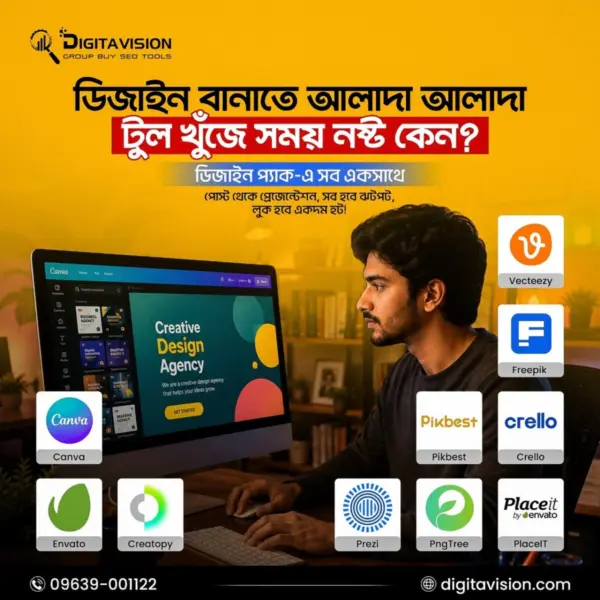
The pack mixes general design editors with stock and asset libraries. Canva covers everyday layouts and social posts, Envato is a template and asset library, and Freepik supplies stock images, vectors and icons. The pack page lists every tool in the bundle with a short note on what it is for, so you can check that the ones you need are in it before you buy.
Shared tools open through the DigitaVision extension, where you sign in once and then use each tool from your member area. Limits differ from tool to tool, and the Limits page shows them. Browse more options in the design and creative assets category.
A tool's own plan can include more than the pack gives, so read the details for any tool you depend on. Most of the tools are also sold on their own pages.
What’s inside
The 10 tools in this pack, and what each one is for.
-
Canva
Designs, presentations, and social content.
On its own $0.99 / 30 daysView
-
Creatopy
Digital ads and brand visuals.
Not sold on its own here
-
Envato
Templates, graphics, and creative assets.
On its own $3.99 / 30 daysView
-
Crello
Quick online design projects.
On its own $1.99 / 30 daysView
-
Freepik
Stock images, vectors, and icons.
On its own $2.99 / 30 daysView
-
Placeit
Mockups, logos, and branded visuals.
On its own $2.99 / 30 daysView
-
PNGTree
Transparent PNGs and design resources.
On its own $2.99 / 30 daysView
-
Prezi
Dynamic presentations and visual storytelling.
On its own $2.99 / 30 daysView
-
Vecteezy
Vector graphics and stock assets.
On its own $2.99 / 30 daysView
-
Pikbest
Templates, images, and design assets.
On its own $2.99 / 30 daysView

One by one, or as a pack
9 of the 10 tools are also sold on their own here. Those 9 cost $24.91 every 30 days bought one by one; the whole pack costs $6.99.
- Canva$0.99
- Envato$3.99
- Crello$1.99
- Freepik$2.99
- Placeit$2.99
- PNGTree$2.99
- Prezi$2.99
- Vecteezy$2.99
- Pikbest$2.99
Prices are each tool’s 30-day plan in this catalog today. A tool’s own plan can include more than the pack gives; check each tool’s limits.
Good to know
Design Pack is a creative design bundle for marketers, creators, students, agencies, and businesses needing graphic design tools, presentation software, templates, stock images, vectors, mockups, icons, and visual assets for professional content creation.
From the help center: How bulk packs work
Packs compared
Every pack, cheapest first. Per tool is the pack price divided by its tools, before any add-on fee.
| PACK | TOOLS | PRICE / 30 DAYS | PER TOOL | |
|---|---|---|---|---|
| Entertainment Pack | 2 | $3.49 | $1.75 | View → |
| Design Pack This pack | 10 | $6.99 | $0.70 | |
| Writing Pack | 10 | $6.99 | $0.70 | View → |
| SEO Combo Pack | 11 | $7.99 | $0.73 | View → |
| Student Pack | 10 | $7.99 | $0.80 | View → |
| Video Pack | 10 | $9.59 | $0.96 | View → |
| AI Pack | 8 | $9.99 | $1.25 | View → |
| Medium Pack | Any 10 | $10.99 | $1.10 | View → |
| Heavy Pack | Any 15 | $12.99 | $0.87 | View → |
| Mega Pack | Any 20 | $14.99 | $0.75 | View → |
| Arhefs Combo | 2 | $17.99 | $9.00 | View → |
| Mega combo pack | All 119 | $27.99 | $0.24 | View → |
Design Pack FAQ
What does shared access mean?
One account is shared by several members through the DigitaVision extension. Each member signs in once. The limits that apply to each tool are listed on the Limits page.
How fast is delivery?
Shared tools are available in the member area once the payment is confirmed. Personal accounts usually take 2–4 hours, up to 24 hours in rare cases; your login is then on the product credentials page of the member area.
What happens if a tool stops working?
The refund and warranty matrix covers it. A shared tool that is down for more than 48 hours gets a replacement or a pro-rated refund. A personal account gets a replacement first; where a product states a warranty, it is shown on its page.
Can I pay in BDT?
Yes. Prices show in USD or BDT; the toggle is in the header. The payment methods you can use are listed at checkout.
Do you sell cracked software?
No. We don’t sell cracked software, pirated license keys or stolen accounts. How the tools may be used is set out in the fair-use policy.
Who is the Design Pack for?
It suits people who produce visual content often but do not want to pay for each design service separately: social media managers, freelancers, students, agencies and small business owners. If you only need one design tool, buying that tool alone may fit better. If you move between editors, stock libraries and mockup tools, one pack covers them under a single membership.
How do I use the tools in the Design Pack after buying?
After payment you open the DigitaVision member area, install the extension and sign in once. Each shared tool then opens from your account, and any tool delivered as a personal account shows its login on the product credentials page. The pack page names which tools are included, and the Limits page lists the limits for each.
Is the Design Pack safe to use?
You open it from the DigitaVision extension after one sign-in, so there is no vendor password for you to look after. The account is shared, which is why fair-use limits exist: they keep it working for every member. The fair-use policy sets out how the tools may be used, and the refund policy explains what happens if a shared tool stops working. Download finished designs to your own device rather than leaving them only inside a shared account. DigitaVision is not affiliated with the design vendors.
Are there usage limits on the Design Pack tools?
Yes. Each tool has its own usage limits so that the shared accounts stay usable for every member, and the Limits page shows them. Check the limit for any tool where you download or export a lot. The fair-use policy explains how the tools may be used, and it applies to every tool in the pack in the same way.